DigitPro
Digital Film & Photo Scanner – Converts 35mm/135 Slides, Negatives,NameCard & 3.5x5/4x6/5x7 Photos to 22MP JPEG – Slide & Negative Converter with 2.4" LCD & 4GB SD Card
Digital Film & Photo Scanner – Converts 35mm/135 Slides, Negatives,NameCard & 3.5x5/4x6/5x7 Photos to 22MP JPEG – Slide & Negative Converter with 2.4" LCD & 4GB SD Card
Couldn't load pickup availability
Easy-to-Use 2.4" LCD Preview Screen: The bright 2.4" LCD screen allows real-time image preview. easy menu navigation. and quick adjustments before saving. making this slide and negative scanner ideal for beginners and professionals.
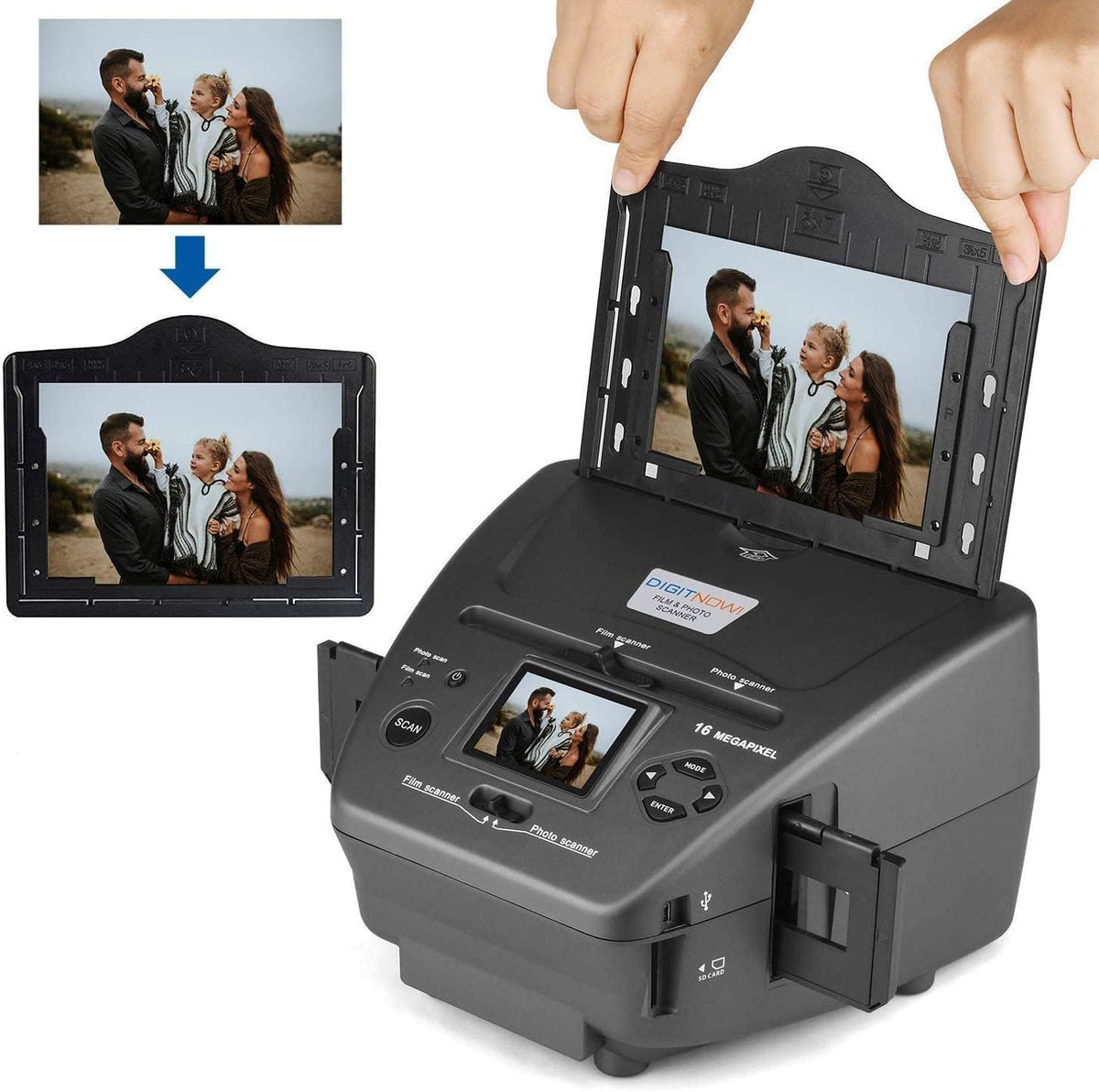
Supports a Wide Range of Family Photo Formats: Works with 35mm/135 slides and negatives. plus 3.5x5. 4x6. and 5x7 photo prints. Perfect for converting boxes of old pictures stored in closets. basements. or family archives.
Fast One-Touch Scanning: Scan film and photos in seconds with simple one-touch operation. Includes a 4GB SD card for convenient storage and immediate use—no need to buy memory separately.
Complete Slide Scanner Package: This all-in-one slide scanner for old slides to digital comes fully equipped with a 135 slide holder. negative holder. photo tray & bracket. power adapter. USB cable. OCR CD. and user manual. No additional software or accessories required—just plug in and start scanning.
- To scan slides/negatives. you need to turn both toggle buttons to the left "Film scanner"
- Load the slide/negative into the holder - note that the slide should fit perfectly.
- Any dust scratches or fingerprints will show up on your saved images. It is advisable to wear cotton gloves during the operation.
- The 4-frame positive holder is open on both sides and can be passed through the entire roll of film. Please drag the negatives by hand and scan them sheet by sheet.
- To scan photo/name card. you need to turn both toggle buttons to the left "Photo scanner"
- Position the bracket according to the marked dimensions on the photo tray.
- Please note that for 5x7 inch photos. it is not necessary to install the bracket into the photo tray.
- Place the brackets into the slots and slide the brackets down to secure. turn the photo tray upside down to check that they are securely fastened. The brackets should not fall off.
- Please use the provided OCR CD to organize the name cards. The CD software is not required for scanning photos and films.
- Any dust scratches or fingerprints will show up on your saved images. It is advisable to wear cotton gloves during the operation.
Tips: Please note a few things
- A yellow "!" appears on the device screen and scanning is unavailable
The yellow exclamation mark of the product is an alarm. confirm whether the product is loaded into the SD card to use the alarm or not loaded SD card will also be alarmed.
If the yellow exclamation mark appears when the SD card is loaded. check the capacity of the SD card or check whether the SD card meets the requirements (below 32G. FAT32 format. format before use);
If you do not install the SD card will also have a yellow exclamation point of the following operations: the product is not installed SD card when connected to the computer via USB cable. the product is turned on and enter USB mode. to be recognized by the computer after the product disk partition to clean up the partition or format partition (note that the partition format should be FAT32). clean up after the completion of the restart of the product to try to restore the product back to normal. the product is restored to normal to work with the use of the SD card!
- Please follow the instructions to use the holder to adjust the corresponding photo size. only support photo size (3½x5 inches. 4x6 inches. 5x7 inches). standard business card size. Do not use other sizes to prevent photos from falling into the product.
- If there is a shadow in the middle of the scanned photo. it is mainly caused by reflections on the surface of the photo. the solution is to put a layer of transparent frosted sticker on the surface of the photo and scan it again.
Loading Slides/Negatives
Loading Photo/Name Card
Share